![POSSIP LOGO PNG-Jun-08-2021-02-15-02-88-PM.png]](https://helpdesk.possip.com/hs-fs/hubfs/POSSIP%20LOGO%20PNG-Jun-08-2021-02-15-02-88-PM.png?height=40&name=POSSIP%20LOGO%20PNG-Jun-08-2021-02-15-02-88-PM.png)
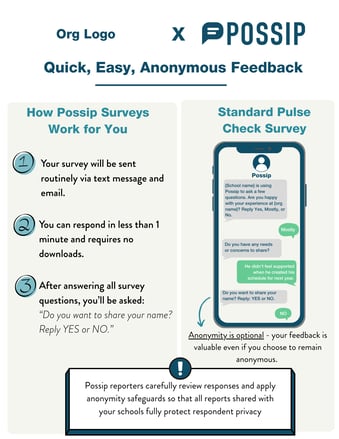
Follow the steps below to customize the template in Canva to fit your organization's branding.
1. Add Your Organization’s Logo
The template includes a placeholder for your specific branding.
- Locate the Logo Placeholder: Find the section labeled "Org Logo" at the top of the page.
- Upload and Replace: Upload your school or district logo to Canva and drag it over the placeholder to replace it.
2. Download and Share
Once you have updated your logo and organization name:
- Click Share in the top right corner of Canva.
- Select Download and choose your preferred format (PNG or PDF are recommended for sharing via email or social media).
- Distribute the graphic to your community to encourage participation in your next Pulse Check!